#NFF · The 7 Claude Skills I'd install by Sunday if I were starting over
Total install time: under 20 minutes per Skill. Total hours saved per week: about 12. Paste-ready. No code. If you switch one on this weekend, you'll wonder how you ran without it.
There’s a version of me that started using Claude in late 2024, used it like a faster Google for 14 months, and only flipped the Skills switch in March this year.
That version of me wasted about 14 months of compounding.
A Skill in Claude isn’t a tool. It’s a saved instruction set that fires every time you say a specific code word. Type “research:” and Claude runs the Lead Gen Research Engine on whatever URL you drop in. Type “Carousels are a go” and a week of content gets generated. Type “DB” and today’s Daily Brief lands.
The shift sounds small. It’s the difference between Claude being something you reach for occasionally and Claude being the operating layer underneath your week.
Below are the 7 Skills I’d install in the first weekend if I were starting from zero today. Each takes under 20 minutes to install. The combined time-save runs to about 12 hours a week once they’re all firing.
💡
Stack Hygiene starts with Skills, not prompts. A Skill is context, baked. You don't re-explain your business every Monday — you fire a code word and Claude already knows the audience, the voice, the offers, the pillars.
Why “Skills” beat “prompts you saved in a doc”
Most creators who think they have a saved prompt library actually have a Notion page with 30 paragraphs they never open. The doc-of-prompts pattern fails for one specific reason: the friction of finding the right prompt is higher than the friction of typing a fresh one.
A Skill removes that friction completely. You don’t search for it. You don’t paste it. You don’t even open it. You just say the code word.
That’s compound mode for AI usage. The saved instruction lives inside Claude. You access it through one word. The work that used to take 30 minutes of context-establishment plus 30 minutes of execution now takes 30 seconds of typing the trigger.
⚡
Under 20 minutes per Skill. About 12 hours saved per week. That's a 4-hour ROI on the first week. Switch one on this weekend. Pick the one that hurts most. Don't try to install all 7 at once.
The 7 Skills, in install priority order
I’d build them in this exact order. Each one compounds the next.
Skill 1 · Daily Decision Audit
Code word: “DB” or “Brief me”
What it does: Every morning I paste my task list. The Skill classifies each item (compounder / maintainer / avoidance / vanity / reactive), kills the bottom three categories, ranks the rest by leverage, and tells me the one thing that matters most today.
Install time: 15 minutes (save the prompt in your Ops Brain Project · paste this morning’s list to test)
Weekly time-save: 2-3 hours of misallocated execution.
The hardest part of installing this isn’t the prompt. It’s accepting the kill-list. Claude will tell you to cut tasks you’ve been carrying for two weeks. Your ego will defend them. Cut them anyway.
Skill 2 · Carousels & Singles Content Creator
Code word: “Carousels are a go” / “Singles are a go”
What it does: Generates a week’s worth of social content from your saved Brand Brain context — carousels for IG/LinkedIn, single posts for X/Threads, captions, hooks, DM code-words built into the CTAs. Self-scores every piece against the 5-dimension rubric (Promise × Payoff, Teach AND Sell, Old/New, Numbered, Voice match). Keeps the 8/10+ pieces. Bins the rest.
Weekly time-save: 6-10 hours (this is the biggest single Skill in the stack)
The Skill that took me from 16-hour content weeks to 4-hour content weeks. Builds on top of the Brand Brain context — you can’t run this until that Project is loaded.
Skill 3 · Lead Gen Research Engine
Code word: “research:”
What it does: Drop a URL — YouTube video, podcast transcript, article — after the code word. Claude pulls the source via Gemini connector, runs a 9-section teardown (big ideas, hooks, frameworks, applicable lessons, vocab, sources), and writes the analysis to your Knowledge Base folder. Every Friday I have a stack of teardowns banked from the week’s research.
Weekly time-save: 3-4 hours of unstructured research that used to go nowhere.
This is the Skill that turns consumption into asset. Every podcast you listen to becomes a documented teardown you can cite later. The research compounds because it gets banked, not lost to memory.
Skill 4 · Founder Phrase Lock
Code word: “Founder phrase”
What it does: Before any piece of content ships, run it through this Skill. It checks for the 9 locked memetic phrases (Three Engines, Backend GPS, Build the Backend, Stack Hygiene, AI Stack Hygiene, System Stack Hygiene, Founder Lag, Compound Mode, Phantom Load) and flags drift, paraphrasing, or anti-patterns. Forces vocabulary consistency across every piece I ship.
Install time: 10 minutes (Brand Brain Project — paste the locked vocab list + the audit rules)
Weekly time-save: invisible but enormous — prevents the slow vocabulary drift that kills brand memetic compound.
You won’t feel this Skill saving you time. You’ll feel it 6 months from now when your audience starts using your phrases back to you unprompted.
Skill 5 · Inbox Triage Drafter
Code word: “Triage inbox”
What it does: Paste this morning’s emails (subject + sender + first 2 lines). Claude classifies into 4 categories — urgent client / qualified prospect / informational / can-ignore — and drafts responses for categories 1 and 2 in my voice. I review and ship.
Weekly time-save: 4-5 hours of reactive inbox burn.
The Skill that ended the “I’ll just check email quickly” lie. Triage runs in 5 minutes once a day. Inbox stays at zero. The reactive cycle is broken.
Skill 6 · Newsletter Drafter
Code word: “NFF draft”
What it does: I paste the week’s signal (calls, decisions, observations). The Skill drafts the full 1,800-word newsletter in my voice using the locked Brand Brain context. I codify — add the specific detail only I know, sharpen the hook, weave in the Founder Phrase. Ships Friday morning Dubai.
Weekly time-save: 6-8 hours of blank-document staring.
This is the Skill running underneath the article you’re reading right now. Claude drafted. I codified. Ship time: Friday morning.
Skill 7 · Sunday Reset Routine
Code word: “Sunday reset”
What it does: Runs the 5-phase Sunday Reset (review wins, close open loops, bank lessons, lock next-week focus, set up Monday AM). Outputs a 1-page Week-Closed document and a 3-point Monday-AM action list. 30 minutes total.
Install time: 10 minutes (Ops Brain Project — paste the 5-phase template + my saved questions)
Weekly time-save: The Sunday reset itself is 30 min of investment, but it returns ~5-8 hours of lifted Monday capacity from the cleaner cognitive start.
The Skill that ended my Sunday-night anxiety. The week closes properly. Monday opens clean.
The install order matters
Build them in the order above. Here’s why:
Skill 1 (Daily Audit) is the foundation — it makes every other Skill more effective because you stop wasting AI cycles on low-leverage tasks.
Skills 2, 5, 6 (Content, Inbox, Newsletter) are the high-volume time-savers — these deliver the biggest weekly hours back.
Skill 3 (Research) turns input into asset and feeds the Content Engine.
Skill 4 (Founder Phrase) is the vocabulary anchor that makes Skills 2 and 6 compound brand recognition over months.
Skill 7 (Sunday Reset) closes the loop and feeds Skill 1 with a clean Monday start.
If you tried to install Skill 6 before Skill 1, you’d produce great newsletters about the wrong priorities. If you tried to install Skill 2 before Skill 4, your content would drift in voice every few weeks. The sequence is the compound.
🆓 Free Resource — The 7 Skills in install order
Use case: Decide which Skill to install first. The 7 Skills in dependency order: Carousels & Singles Skill — highest leverage · ships across 6 platforms. Install first. Newsletter Skill — turns the carousel signal into your weekly long-form. Install second. YouTube Script Skill — converts newsletter ideas into 5–8 min videos. Install third. DM-Triage Skill — categorises inbound DMs, drafts replies. Install when DM volume tops 30/week. Founder Brief Skill — generates your daily operator briefing. Install when you have 3+ active offers. Audit Skill — monthly stack audit, surfaces what's leaking. Install at month 3. Sales Page Skill — generates landing-page copy. Install only when launching. Paste-ready scaffold for Skill #1: "You are my content strategist. Positioning: [one line]. Audience: [who]. Voice markers: [3–5]. Banned words: [3–5]. Code words for DM CTAs: [list]. When I say 'Carousels are a go', generate 5 carousels + 3 singles scored against Promise×Payoff / Teach AND Sell / Old-New / Numbered. Bin below 8." Where depth lives: in the Compound, we install full Skills with persistent context and rubrics calibrated to your offers.
I made one rule in March that’s kept the Skill library clean: a Skill goes live only when it handles 3 edge cases.
Not when it works on one perfect input. Not when the demo run looks good. Three edge cases — three different real-world inputs that stress-test it — and it produces useable output for all three.
If it only handles one, it lives in beta. I use it but I review every output. If it handles three, it goes to production and I trust the output with light review.
This is stack hygiene applied to Skills. Without the rule, Skills accumulate that you don’t trust, the library bloats, and you stop using any of them. With the rule, every live Skill earns its slot.
🧠
Sir's note: The order matters. Carousels first — highest leverage, ships across 6 platforms. Newsletter last — it depends on the source material the other Skills produce. Build in dependency order, not enthusiasm order.
What this means for your weekend
If you’ve got Claude open right now and zero Skills installed, you’re operating at maybe 20% of what the tool can do for you.
Three moves before Sunday evening:
Pick 1 Skill to install this weekend. Daily Decision Audit is the right one to start with — it’s the smallest install, the fastest payoff, and it makes every other future Skill more effective.
Build the Brand Brain Project first. Every Skill above references this Project for voice + audience + offers. Without it, the Skills produce generic output. With it, every Skill speaks in your voice from minute one.
Use the 3-edge-case rule before going live. Resist the urge to install all 7 in one weekend. Build one. Test it for a week. Add the next.
By month two you’ll have 4-5 live. By month three you’ll wonder how you ran a content business without them.
Build the backend of saved Skills. The compound starts the day you save the first one.
Inside Founders & Systems — every member gets all 7 Skills installed in week 2 of the 90-Day Compound. We use your real brand voice, audience, and offers — not template defaults. By Day 14, your Stack Hygiene is operator-grade.
📬 No-Fluff Friday — one sharp move every Friday morning Dubai.
I Stopped Sending One Email to Everyone. My Open Rate Doubled.
Open rates dropped from 45% to 18% over twelve months. The fix wasn't subject lines. It was tag-driven segmentation in Kit — and the lift compounded inside 30 days.
members only
Personal Branding
One of My Students Made £0 With 10,000 Followers. Here's What He Changed.
He had 10,000 followers and £0 in revenue. Three months of daily content, audience climbing, bank account flat. The fix wasn't more content. It was the metric shift that changed everything.
members only
Automation
The Hidden Backend Every 7-Figure Creator Has (That Nobody Shows You)
Successful creators post about their morning routines. They don't post about their backend — the systems that convert audience into income while they sleep. Here are the 5 you need.
members only
AI Integration
The 15-Minute Morning AI Routine That Replaced My £3,000 Consultant
I used to pay £3,000/month for a strategic consultant. A 15-minute morning AI routine now does 80% of what they did — daily, not monthly. Here's the exact 3-phase system.
Founders and Systems tier
Content Systems
No-Fluff Friday: Funnels Are Dead. Flywheels Are Eating Them.
How operators with no sales team, no funnels, and no ad spend are doing $1M+ months in 2026 — and the four-part flywheel you can install in your business this weekend.
Founders and Systems tier
AI Integration
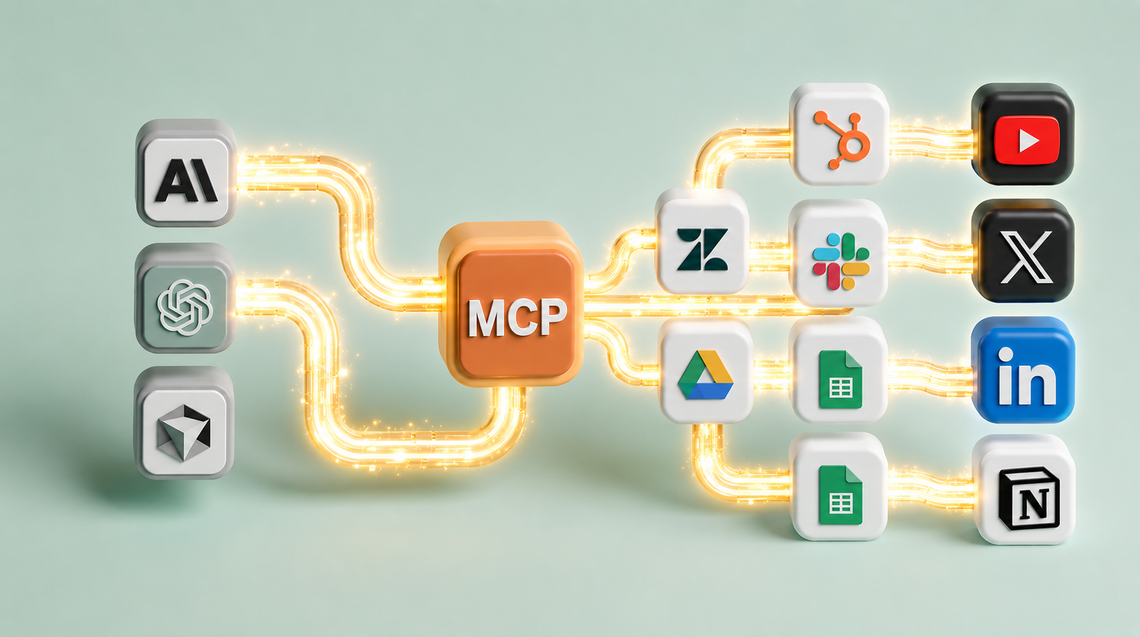
MCPs Are the Cheat Code for Founders. Here Are the 5 I Run Every Day.
Most founders use Claude like a chatbot. MCPs turn it into a system that runs parts of your business. Here are the 5 I use daily — and what they replace.















Member discussion